To cancel your plan, you actually need to downgrade it to the free plan. How to do this?
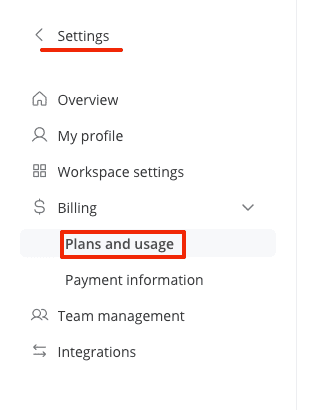
- Go to settings, into the billing section, and to the plans & usage area.
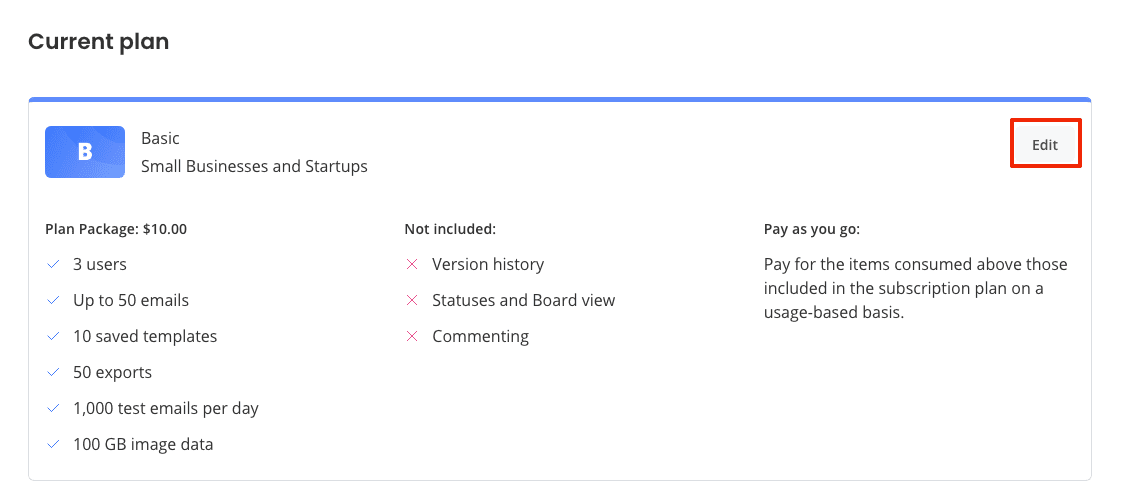
- Click on the edit button to the right of your plan.
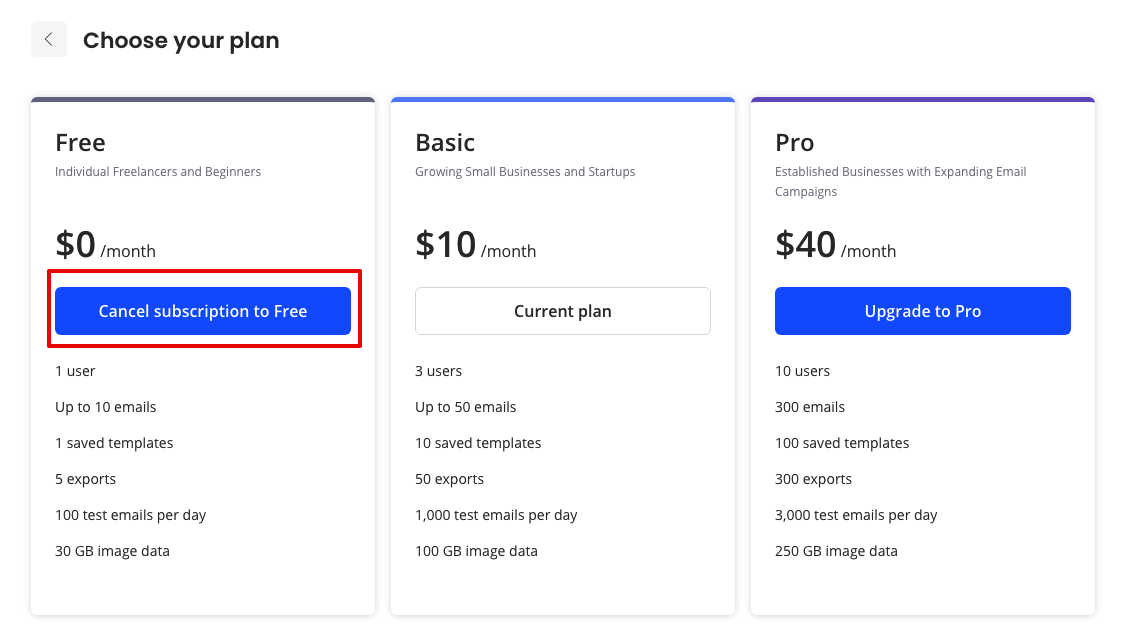
- In the window that opens, select cancel under the free plan.
- Confirm your choice and press downgrade.
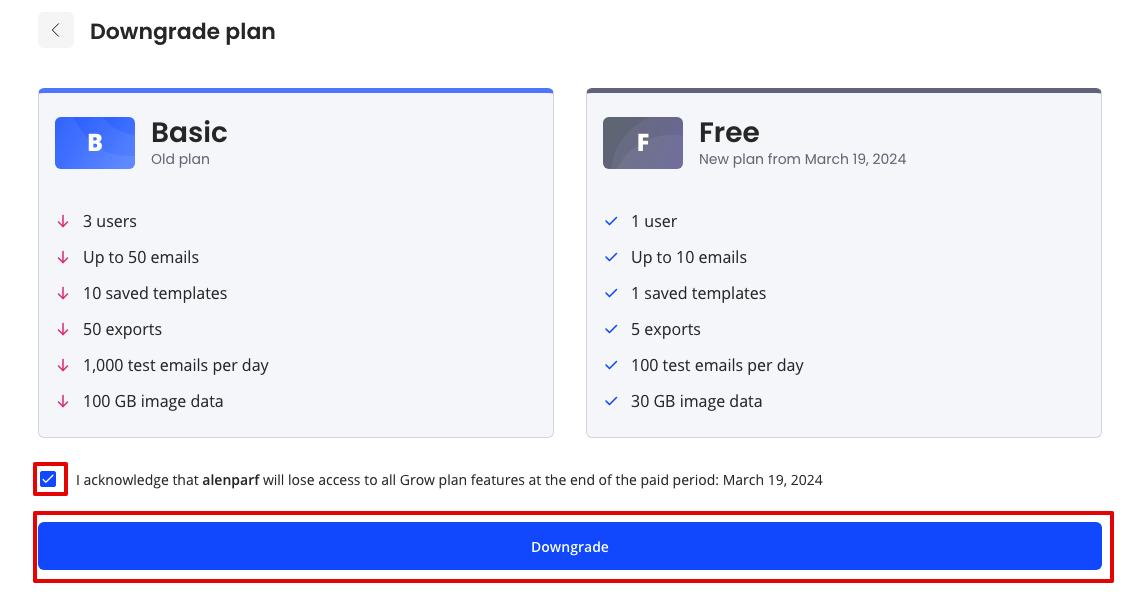
❗️ Important: Before canceling your plan, delete any extra users and emails, otherwise, you won't be able to downgrade.